Showing posts with label internet. Show all posts

Monday, April 24, 2023

Plus ça change... Time to check in once more.

This blog needs some attention!  It has been over a year now.  The Blogger service is changing, and the world of social media is evolving drastically.  I've just cancelled my Twitter account, which draws a close to that small chapter in my life.  Elon is now free to drive things into the ground without my help.

I've dumped Instagram and Facebook, also.  The idea is to reclaim as much of my time as I can, free of the morbid stuff on the Internet.   That should allow me to concentrate on more important things.  That, or I can just enjoy a bit of peace as I enter deeper into codger-hood.

This old-fashioned blog is an interesting case. I can write what needs to be written, at whatever length.  Comments are welcome.  It should remain mainly technical with an amateur radio focus, but there will be tangents.

Let's see how it evolves.

Saturday, April 28, 2018

Gone Streaming. Sorry, Comcast.

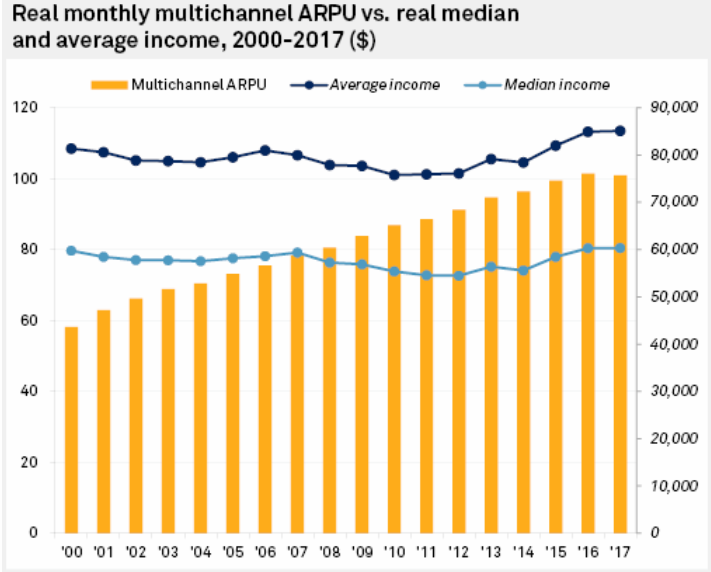
So sorry to hear that the cable TV industry is suffering because of the growing defection to streaming media services.  See this recent Fierce Cable article. We seem to be entering a meltdown, where increasing cable prices encourage more of us to "cut the cable" and go to streaming solutions.  That means that cable companies have to increase their rates, which leads to more defections.

You don't want to be the last one to switch over in a game like this.

We aren't the first by any means, but our sky-high bill finally got to be too much when the last of our introductory discounts disappeared.

Technically, the Comcast service in our area is very good.  Internet performance has inched up over 250 Mb/s.  Unfortunately, the monthly charge is running around $1 per Mb/s.

So we had an abundance of bandwidth and a similar abundance of channels -- most of which we never used.  The Internet bandwidth is sweet when I want to download a new Linux DVD every 6 months, but how much is that really worth?

TL;DR. We have just dropped cable video and phone service and cut back our Internet speed to 60 Mb/s -- quite enough for our small household.  These changes cut our Comcast payment by 70%!

The new system is built on a Netgear CM600 modem, an Asus RT-N66U WiFi router, an Ooma Telo VOIP box, and a Roku streaming device. (Our nice Sony HDTV predates "smart TV".*) In addition, we're watching more over-the-air TV, mainly to get the PBS Newshour live.  (PBS hasn't figured out how to live stream, it appears.) In this location, we need an amplified antenna that mostly works for us indoors, but it will need to be installed outdoors for solid performance.

The thorny issue now is how to make sense of the many streaming services.  People worry about what will be happening without "net neutrality".  The Internet is likely to fragment into walled gardens.  As others have pointed out, this already is happening in the streaming market.  Do I want Amazon Prime, Netflix, Hulu, CBS Now, etc.?  There are several providers for live streaming TV channels, too. Each of these has some interesting content.  Even if I didn't mind paying for all of them, the data management gets to be overwhelming.  There is no simple navigation or program guide I know of that crosses those boundaries.

Brave new world?  Chaos?  All of that. Glad to help the cable industry find its destiny.

* Smart TV: I worry that the "smarts" get obsolete well before the "TV" does.  Integrating them should help simplify the user experience, but the quick obsolescence is a worry.

Thursday, August 24, 2017

Flex Remote @ ARRL HQ


After a false start or two, we finally have Flex Radio's Version 2 SSDR software running.  It enables easy internet remote operation from wherever, using my Flex 6500 radio installation at home and the Maestro controller.

My first successful test was using an "outside" test internet connection via my Nexus 5X cell phone in "tethering" mode, while I was still at home.  It was convenient to have both local and remote sides of the connection on my operating desk.  (With my data plan, I estimate the hourly running cost for remote service is about $6/hour with standard settings and not minimizing bandwidth.)

Today, we are set up in the ARRL headquarters site in Newington CT, about 40 miles from home as the crow flies.  Everything seems to be working well.  "59" reports from Switzerland and Spain.

At home, I have the Flex 6500 controlling the tuning of my SteppIR 3-element beam (fixed on Europe), so I can remotely operate from 20 meters down to 6 meters.  Unfortunately, there is no remote pointing control -- yet.  Also, no integration with digital modes or my logging system.  One step at a time.

Monday, December 26, 2016

A network benchmark update

Previously, I've posted several Comcast / Xfinity's benchmarks for our CATV Internet service.  (Click on "Benchmark" topic at right.)

Lately, the IPv6 service seems pretty reliable with my system.  That was a problem for some time.  It may have been a bad interaction between the Comcast plant and my local routers, but it just went away.  It may have been a Comcast reconfiguration that helped us, but it also could have been an Asus firmware update. I am now running ASUSWRT-MERLIN firmware on the Asus RT-N66U router, which I can highly recommend as an expanded and improved version of the Asus distribution.(It cured a long-standing issue with JFFS2 overflow.)

Again, I highlight the DSL Reports speed test, which checks your "real world" network performance, including the dread "buffer bloat".  Today is Boxing Day (Dec. 26), and DSL-Reports is giving me a so-so report and a good report. Here they are, separated by half an hour:


The variability may be partly due to the speed test's different selection of test hosts.  But it may be something real about Comcast or the Internet "weather".  These tests use IPv6, it appears.

For comparison, between these two tests, Comcast's own speed test shows this:


This is the available speed within the Comcast network, which seems to be the best possible result -- not fully representative of what you experience with a random Internet connection -- even if the server is fast and well-connected. (Note that the driving distance from Branford CT to Boston is really about 144 miles, not under 50. Go figure.)

Monday, June 20, 2016

IPv6: Things that fix themselves

In a January post, I commented on trying to make the new Internet Protocol (IPv6) work in my household.

Despite some detailed sleuthing, I could not get IPv6 working reliably on my WiFi/Ethernet local area network with its connection to our ISP, Comcast.  The router would give up after a day or so, reporting ICMP6 checksum errors and shutting down IPv6 service.  (IPv4 worked well, regardless.)

I had tried swapping out a lot of my devices, including routers, but nothing seemed to keep the service going for more than 24 hours.  Lacking more elaborate packet inspection tools, I put the whole thing on the shelf.

Now, after 5 months of computer / Internet life, I thought I'd check in again.  What do you know -- IPv6 is stable now.  There have been quite a few updates to operating systems, routers, and other components since January, so it's not possible to say what made the difference.  And Comcast may have secretly changed its service in a way that cured my bug.  (The log still reports bursts of ICMP6 checksum errors, by the way.)

We may never know what happened, and that's a shame because it is good to know where the weak links are (or were) to help plan future developments.

Meanwhile, laissez les bon temps rouler!  We are ready for the next century.

p.s. This is mainly a hobby activity.  There is practically nothing you can do with IPv6 that you can't do with the common IPv4.  (You can test your own IPv6 capability here.) Over time, since the IPv4 system is now almost out of available new addresses, new services will have to be provided on IPv6 only.  But that may be a while yet.

Wednesday, January 20, 2016

IPv6: Light my Fire!

Our IPv6 story continues.  We removed our Asus RT-N66U router and showed that the problem (long periods of dropped IPv6 connectivity) was not in the Asus device.   The problem continued when we went back to the Comcast/Cisco DPC 3941T router, alone.   The Comcast device has very poor facilities for diagnosing network problems or anything that might confuse the general Comcast users.  It gives a log that says there were some problems seen by the firewall and that's about it.

So we put the Asus device back in operation, switching the Cisco to bridge mode.  The Asus demonstrated the same IPv6 problems as before, but now it was time to scrutinize the log a little better.

We noticed a lot of ICMPv6 checksum errors like the following:

Jan 20 10:20:35 kernel: nf_ct_icmpv6: ICMPv6 checksum failed
Jan 20 10:20:35 kernel:  <0>nf_ct_icmpv6: ICMPv6 checksum failed
Jan 20 10:20:35 kernel: IN= OUT= <1>SRC=ff02:0000:0000:0000:0000:0001:ff6e:d2d3 DST=2601:0183:4002:0987:0000:0000:0000:0001 <1>LEN=64 TC=0 HOPLIMIT=255 FLOWLBL=0 PROTO=ICMPv6 TYPE=136 CODE=0


They repeat up to once a second, when they start coming. All the erroneous packets originated from the ...d2d3 address.  With a little work, we found...

The Guilty Party

The Amazon Fire tablet seemed like a good value at its ~$50 price.  Unfortunately, it appears to be sending the malformed IPv6 packets.  Powering off the Fire (or using airplane mode) cuts the errors, and seems to have stabilized the network.

Kindle's version of Android gives you very little to adjust, and you can't shut off v6.  We tried unloading most of the non-Amazon apps just in case one of them was causing the problem, but that had no effect.

Maybe $50 is just too cheap? That would be one moral of this story.

Another moral: Don't expect a Comcast router to help you fix your network if something goes wrong.

Friday, January 15, 2016

Still slogging on Internet Issues

While trying to understand why IPv6 is (still) not reliable on my Comcast / Xfinity service, I rediscovered DSL Reports.  This is a great place to go to get your technical / support questions answered for DSL or Cable connections.

I have a post in for Comcast's attention.  Meanwhile, I ran the nice speed test tool, which gave me the highest-ever speed report.

Wednesday, December 16, 2015

Comcast IPv6 - Asus RT-N66U Troubles

We were a dual-stack household -- for a while.  Comcast is one of the leaders in the evolution of Internet services from the old IPv4 to the new IPv6 service.

The old IPv4 network has run out of easy-to-allocate IP addresses (the numerical kind, like 130.132.20.1, that are roughly equivalent to your telephone number).  Among other advantages, the new IPv6 allows for gazillions of new addresses.  It will be a key enabler of the new "Internet of Things" that you may have heard about.

As this transition occurs (slowly, as there are so many v4-only systems installed), many of us will need to operate "dual stack" systems that are capable of using both forms of addressing.  Any modern desktop PC (Windows 7 and onward, Linux, etc.) already knows how to do this.  The weak link for many users will be their Internet Service Provider (ISP) that will have to reorganize itself to provide IPv6 services.  So, the good news -- our Comcast system does offer IPv6.

We were able to run dual-stack pretty well with the gateway device that Comcast rents us, a Cisco DPC-3941T.  (We need their gateway, because we use their VOIP telephone service.  That's another story.)  Our Linux operating system (and probably Windows, too) will prefer to use IPv6 over IPv4, when a given Internet service offers both.  Google sites all seem to offer IPv6, for example.

But it wasn't going to be that simple for us, because the Cisco gateway is "crippled". Comcast seems to have decided that a downgraded gateway can offer more security with fewer support issues for the 99% of customers who have simple needs.  It does not support a moderately complicated home network, like ours, where you might want to use specific IP addresses, firewall setups, etc.  In this situation, Comcast recommends that you operate their gateway in a non-routing mode and that you attach your own WiFi router that will be more configurable to local needs.

Enter the Asus RT-N66U.  On paper, this looks like a fine choice for us, offering very good dual-band WiFi and lots of configuration control.  With its standard setup (IPv4), we've had no problems.  (The VOIP service stays with the Comcast gateway.)  When we enable IPv6, things worked well, too, despite the lack of documentation or help files from Asus.

Worked well, that is, for a number of hours.  After a time, the IPv6 service just stopped.   The good news is that Internet service continued with only minor delays using the old IPv4 protocol.  The bad news is that IPv6 isn't reliable using the RT-N66U.  It starts up again if you reboot the router, but it will eventually die with the same symptoms.

According to the router system log, the router starts encountering ICMPv6 checksum errors.  After some substantial number of such errors have been reported, the router decides to drop IPv6 entirely.  That's my interpretation, anyway.  Where the errors arise is not clear.  It could be the Asus router itself, or it could be an interaction with the Cisco device, or something even further upstream.

I have tried all variants of IPv6 setup that I could think of -- enabling/disabling DHCP, response to Internet pings, etc.  Sometimes IPv6 seemed stay up for longer, but eventually it always dropped out.

So despite the initial excitement of operating a cutting-edge dual-stack household, we are back to plain old IPv4 for now.  Maybe someone will suggest a better router configuration, or maybe we will get a firmware update that fixes things.  Meanwhile, we're coasting along on tried and true IPv4.

Note added: To keep things in perspective, there is no great reason to run IPv6 at the present time.  It's just a game, until a significant number of services begin to be offered exclusively on IPv6.  That will happen eventually as the address exhaustion begins to be felt, but for now essentially all IPv6 services are also available via IPv4.

Thursday, September 24, 2015

High speed, high cost: it's Comcast!

Comcast (dba Xfinity) is giving us tons of Internet speed these days, at least in our corner of Connecticut.  They gave us a new gateway that is now provides the results shown to the right.  Our current service started out at 50 Mb/s, but has more than tripled with little price increase.

That's all good, but the downside is that they are charging something like $1 per month per megabit per second. High speed is occasionally useful for downloading big files, but we could survive on a fifth of what they are giving.  I suppose a big household where 5 people are all looking at their own HD videos would need this bandwidth.  But that's not us!

The question is whether a downgrade of our "triple play" service would put us at a more reasonable price / performance point.  We'll see.

My home LAN gets used for special ham radio work, servers, and software development, so I need to set up DHCP with some assigned addresses and tailor the network in other ways.  Since Comcast has seen fit to cripple its gateway to prevent me from doing this, I've added a proper Asus RT-N66 WiFi router that runs off the Comcast unit operating in "bridge" mode.  The Asus unit is very nice, including IPv6 service, as you see above.

Friday, June 13, 2014

IPV6 ready

Comcast has blessed me with a working IPv6 connection, viz http://test-ipv6.com/:


What does it mean?  It means that we're all set when some of the Internet service providers are forced to use the new IPv6 addresses when there are really no IPv4 addresses left. (That's likely to begin soon.) It also means I'm behind the curve technically.  I understand IPv4, more or less, but v6 seems very different and a lot more complicated.

Comcast also upgraded us to 100 Mb/s download (from 50) without fanfare.  That's nice, but I'd rather have had a 50% price cut.

Sunday, April 27, 2014

Internet Speed Tests

At AA6E, we are using the Comcast "Xfinity" "blast" service, which originally provided 50 Mb/s download, but now seems to have been quietly upgraded to ~100 Mb/s. Oh, we seem to have IPv6 service now, too.  Effectively using that in my home network will be a challenge. (One that I don't need at this time!)

Test with http://speedtest.comcast.net (MA server):


but Boston is not 5300 miles away!

Comcast (NJ Server):


Broadband Reports offers a more sober report http://www.dslreports.com/ (NJ):


The list price for this service is pretty steep IMO ($60/mo), but a slower service is not much cheaper.

Sunday, January 27, 2013

Cutting the cord: FB

My Facebook account is now "suspended".  It was a long time coming.  The many problems of being on Facebook are well known among internet-literate folk, but hard to explain to casual users.

As someone said, "if you can't figure out what the product is, the product is you."  FB makes money by advertising and by using tricky ways to get you to disclose lots of marketable facts about yourself.

The same facts can be used by almost anyone who wants to know something about you.  The most notorious case would be prospective employers, who are known to require you to give up your FB password, so they can see all your history.  No doubt the Federal government has similar interests in your politics or your research into exothermic chemical reactions.

We need to pull out of Facebook.  It's painful, because FB provides some very useful networking with people you want to connect with -- classmates, family, etc.  But it's not enough for me.

There are quite a few other social networking sites.  Yes, they're mostly free and they all share some of the same problems as FB, but that's where I am now.  Try me on Google+ (Martin Ewing) or on Twitter (@AA6E) or talk back to my blog.  I'm active on the ARRL member forum (AA6E), too.

You can suspend your FB account -- a kind of trial separation.  If it still seems wise in a week or two, you can have all your info deleted.

Friday, December 17, 2010

Ham Radio and Ngram

Google's new service "Ngram" is cool.  It lets you search for any word or phrase through all the books Google has indexed, displaying the count versus year.

Here is the graph for "amateur radio":

and here is the result for "ham radio":

The significance?  Ham radio (in books) didn't start until about 1950! The Ngram view page also gives links for the books in particular year ranges.  I looked up some of them prior to 1965 and found lots that were in the "popular" category: Popular Mechanics, Popular Science, Boy's Life, etc.  Amateur radio, however, has a book record back to 1900 if not before.

Locating amprnet

Remember ham radio's allocation of Internet address space?  (44.0.0.0/8) Thanks to xkcd, here it is in graphical form, ca. 2006 (red circle):


Right between Bell North and Japan Inet.  (Larger size at http://xkcd.com/195/.) You can buy a poster version of this at http://store.xkcd.com/.  (A good place to find gifts for the geek in your life.)

Saturday, December 11, 2010

The End of IPv4 and the Amateur 44/8 amprnet

Internet Map. Ninian Smart predicts global com...Image via WikipediaI wrote about amprnet (ampr.org) a while back - here.  It's a relatively unknown fact that ham radio has its very own Class A IP network -- 44.0.0.0/8.  This is quite a huge chunk of Internet IP v. 4 address space -- 16 million addresses, give or take.  As best I can determine, it was established in 1987 to support future TCP/IP networks that might be implemented either on radio links or as some combination of radio and alternative commercial or other links.  (The latter makes a lot of sense now, given the widespread availability of consumer Internet connections.)  The allocation is best documented in this ARIN WHOIS link.  I have not been able to find on-line documentation or other material relating to amprnet, beyond a number of blog and email postings.  (I'd be happy to get pointers!)

This whole subject came up once again for me, when I was reading how ARIN is trying to "capture" (contractually speaking) the legacy owners of IPv4 address space.  These are people, presumably including amprnet, who received their allocations well before the current Internet bureaucracy was established.  An interesting look at the issues is available in ComputerWorld.  (Thanks slashdot!)

The amprnet allocation usage must be tiny in percentage terms, and hard to justify in a world of address scarcity.   Standalone radio networks based on TCP/IP (if there really are any!) are likely based on VHF if not 2.4 GHz (HSMM), and they are fundamentally local or regional and are not likely to be routable from the Internet.   They could probably equally well use a network address like 10.0.0.0/8.

In recent years, various other network-based amateur systems have developed, including EchoLink, IRLP, D-Star, winLink, etc.  These make effective use of Internet links, but have no particular need for the amprnet addresses.

I don't want to argue the pros and cons so much as to point to the odd situation of our hobby holding such a valuable resource, with no visible institutional support. 

What are the chances to get a little more RF spectrum, if we hand back the IP addresses?

Tuesday, November 16, 2010

Music from Outer Space - Design Tools

Design in your browser. An integrated web-based schematic capture and breadboard support system provided by Music from Outer Space.  It's oriented toward audio, not RF, but it's a cool site for simple designs.


(tnx jameco.com)

Wednesday, October 06, 2010

Uverse vs 80 meters

So, we've finally got to the point of some stability with Uverse in the house for TV, Internet, and telephone service.  That is, without doing much ham radio.

I discovered a nice tool, U-Verse Realtime, which lets you show many parameters of your Uverse operation. It's free software for Windows machines, and it seems to work in my virtual Windows XP machine.  (VMware under Ubuntu Linux.)

The first bit of science is to measure my "bitloading".  That shows what parts of the frequency spectrum are being used for the underlying DSL connection.  The results:

The chart shows that frequencies between about 100 kHz and 3.7 MHz are used for download (yellow), while 3.7 - 5.0 MHz are used for upload (green).  There is a small higher region, about 5.3 - 5.5 MHz also allocated to download.

The increasing line attenuation with frequency is apparent.  (At least, if you believe that "bitload" has something to do with signal power.  I don't really know that.)  The electrically measured line length from the Uverse node is 2554 feet, which puts me in the lowest of 3 service tiers.

OK, second science test.  The active DSL spectrum includes the 80 and 160 M ham bands.  What's the interference potential?  This is not a simple question.  The interference from Uverse's DSL connection might not be much of a problem.  Why?  The received signal is going to be weak (indicated line attenuation is 21.6 dB.) The locally stronger transmitted signal, 3.7 - 5.0 MHz, is mostly outside the 80 M band, although there could be problems between 3.7 and 4.0 MHz, in the SSB band.  Fortunately (?), the 80 M band is naturally so noisy that the interference might not be noticeable.

The thing to worry about, I think, is interference to Uverse service.  I ran a very short test at ~3536 kHz CW.  I was downloading a large file over the Internet and listening to an HDTV program in the other room.  Transmitting with ~90 W output caused no apparent problems.  Transmitting at ~850 W killed the DSL connection pretty quickly.  Download stopped, and the TV image froze. It took about 70 seconds to reacquire the signal after transmission stopped.  (At least nothing was destroyed!)

This is all very preliminary.  We will need to improve the wiring and experiment with ferrite chokes -- probably on the incoming DSL connection.  There is no guarantee that kilowatt 80/160 M operation will ever work, but it might...

Wednesday, September 22, 2010

Uverse - First Impressions

POTS, literallyImage by doegox via Flickr
As noted in the prior post, we are switching to AT&T Uverse.  Formerly, we had Comcast cable for TV, AT&T DSL (6 Mb/s) for Internet, and plain old telephone service (POTS) from AT&T.  Now we get all 3 services from Uverse - the so-called triple play.  Voice is now VOIP carried over the underlying DSL technology.

The installation went very smoothly, and the technician was not too fazed by my 1 KW ham transmitter or my Linux-based household network. (Of course, he didn't guarantee how well things would work in an intense RF environment.)

It turns out our distance from the neighborhood node is 2,554 feet. (This is FTTN service - fiber to the node.) By phone, AT&T had quoted ~750 feet from their not-too-accurate database estimate.  The service limit is 3,500 feet, according to our tech.  Our airline distance may be 750 ft, but our lines don't go direct.  This matters, because the ultimate data rate declines with increasing cable length.  We have ended up in the bottom tier of service, sigh.  This limits the number of TV channels that can be recorded or viewed simultaneously.  That's probably OK for us, but Internet service will be capped at 12 Mb/s for the foreseeable future.  Having double our previous speed is good, but eventually 12 Mb/s may feel too slow.  (Meanwhile, Comcast is saying 100 Mb/s service is coming.  No mention of cost.)

Preliminary observations: Everything works.  That's very good - much better than our early struggle with DSL.  We get a real 11+ Mb/s of data download.  TV works, but somehow the order was bungled and we do not have HD service yet.  A little worrying, the picture on SD TV is rather softer than we had with Comcast.  That probably reflects excessive compression by AT&T.  I wonder how much better HD will be.

Phone service by VOIP works nominally, but now we rely on a UPS to keep service up in a power failure.  POTS emergency service was much superior!
The level of system integration and the TV user interface is much better than what we had before.  Of course, Comcast also offers the triple play, but their HD video recorder system (and its control options) was inferior.  AT&T's services available through the TV are very interesting - receiving your phone voicemail?  I haven't tried that yet.

The industry has still not solved the command and control problem for home entertainment systems.  Even with the new system, we are in remote control hell if we ever want to use our DVD or other add-ons.  This is particularly frustrating for the less technical members of the household!  Why this could not have been resolved by now with some kind of standardized control bus among "home theatre" devices is not clear to me.  No one seems to take this major consumer interest very seriously.

Stand by for occasional further reports.

Update:  A few worrisome but non-fatal issues emerging.  Uverse VOIP service gives too many "fast busy" signals when calling some "well known" local numbers -- and even when calling Uverse support!  You would think "the phone company" would understand phone technology, even if it's VOIP.  This is a problem that almost never happened with the POTS network.

On the TV side, accessing some Uverse help files (apparently a TCP/IP web transaction?) return a 404 Page Not Found screen, which should never happen.  A while later, the request worked correctly.
Enhanced by Zemanta

Sunday, January 24, 2010

Wondering about AMPRnet

Do you know about AMPRnet? I've wondered about this mythical network off and on since the 1980's packet boom. Back then, I was doing 1200 bps 2-meter packet from my home in Guilford, CT. I had a nice little setup with a toaster-style Macintosh, a KAM+, and a 10-20 Watt transmitter (Handytalky with an amp.). It would do the usual packet thing -- access local BBSs, digipeaters, etc. With a lot of effort, I could connect through RF gateways into New York or the Boston area. It was kind of fun sitting there and listening to each packet going out and (hopefully) returning. Not useful, by any means, but entertaining.

Then I got the TCP/IP bug. On the one hand, this was a loser for performance, adding all the overhead of full routing to each packet. On the other hand, there was a degree of error control, and I had actual IP addresses assigned to me! I was 44.88.4.9 (aa6e.ampr.org) and 44.88.4.10 (aa6e-1.ampr.org). So far as I know, the IPs are still "mine", but the server ampr.org has forgotten about me. :-(

There is a "Class A" network assignment for AMPRnet or "ampr.org" -- 44.0.0.0, or as we now say in CIDR terms, 44/8. That's a big deal. That is an allocation of 2**24 = 16,777,216 individual IP addresses, about 1/256 of the entire IPv4 address space, assigned to Amateur Radio. That's the same IPv4 address space that is supposed to be exhausted as soon as 2011.

AMPRnet appears to be very lightly administered (and that's being polite) -- even for an amateur radio activity. The allocations are supposed to be managed by regional volunteers, but coverage seems spotty. The advertised coordinator for my area seems to be inactive now, so there is no one for me to even ask about my allocation! And, if you can get a number, it doesn't have much value, since no one can route packets to you unless you make "upstream" arrangements that are impractical for individuals. People seem to set up tunnels to a server at ucsd.edu, which probably works, but is hardly the way to build a big network!

Traditional packet radio has been in long decline, except for special uses like APRS and DX spotting. Newer digital developments, such as DSTAR and HSMM use TCP/IP technology, since it's still the standard for computer networking, and they may use AMPRnet addresses.

What about that 44/8 network? Is there any way, other than history, to justify maintaining that huge allocation in the face of a global IPv4 number shortage? I know of no simple way to find out which ones are allocated. I would be surprised if there were as many as 1,000 in use. Out of 16 million, it's a trivial number.

The simple fact is that amateurs got a Class A allocation in 1992, when people weren't asking many questions and commercial use of the Internet was just beginning. We'd never get it today.

We should ask why amateurs actually want any IP number assignments. Wouldn't we do just as well with a non-routable private network like 10/8? The vision that somehow a random Internet user needs to interact with a random Amateur Radio station is an odd one. If it involves RF transmission, only licensed operators are allowed -- although the status of server based systems like e-mail and the web may be unclear. It's 2010, and we have 20 years of Internet and ham radio development to look back on. Ham digital nets are fragmented and don't talk to each other much, let alone the Internet as a whole. Why do we need full routability between the RF world and the Internet?

The Internet <--> ham model that is working is tunneling through the Internet to interconnect radio devices and computers. Echolink, IRLP, and DSTAR rely on this mode. No permanent ampr.org addresses are required. An RF-to-Internet gateway is generally at someone's house or place of work, where there is a standard Internet Service Provider connection. The gateway relies on the ISP's assigned address, just as we all do for domestic service.

So maybe AMPRnet needs to be put to rest, giving its water back to the tribe. That would make a nice press release: Public-spirited amateur radio operators help the Internet put off catastrophe for 2 months!

Or, maybe I'm missing something important. Let me know in the comments!

Jeff, WA4ZKO, has some good comments here and here.
Thursday, July 09, 2009

Bing!


Try Bing.com, the new Microsoft search site, on "ham radio". Interesting results, especially the videos at the bottom.

http://www.bing.com/search?q=ham+radio